A Hotspot Router turns a cellular signal into a local Wi-Fi network. It uses a SIM or eSIM, connects to a mobile carrier, and shares that connection with phones, laptops, cameras, or smart devices. Unlike a phone hotspot, it usually has stronger antennas, a larger battery, and better support for multiple users. Some models also include Ethernet ports, external antenna connectors, or automatic carrier switching.
The demand is substantial. GSMA’s Mobile Economy 2024 report estimated 5.6 billion unique mobile subscribers worldwide in 2023. Its State of Mobile Internet Connectivity 2024 report also recorded 4.7 billion mobile internet users. These figures show why portable connectivity matters in homes, vehicles, field offices, and areas lacking fixed broadband. Ericsson’s Mobility Report, November 2024, reported continuing growth in mobile data traffic, driven partly by video, cloud services, and 5G adoption. A router can therefore feel like a small office in a backpack.
Still, performance is not guaranteed. Signal strength, spectrum, congestion, data limits, and carrier policies can change the experience within minutes. A device beside a window may outperform one across a concrete room. Speed tests also provide snapshots, not promises. This guide explains the hardware, connection process, security settings, and practical limits of a Hotspot Router. It also questions a common assumption: mobile coverage does not always mean reliable internet access.
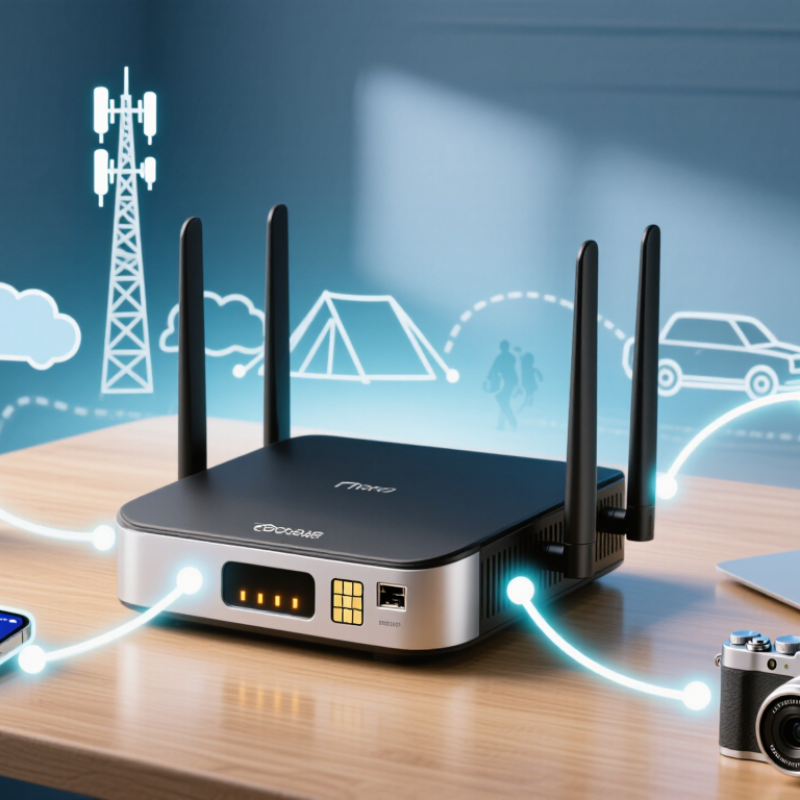
A hotspot router is a networking device that shares internet access through a wireless hotspot. It usually connects to a cellular network instead of a fixed broadband line. The router then creates a local Wi-Fi network for phones, laptops, cameras, or other devices. Unlike a basic mobile hotspot, it often supports more connections and stronger traffic management.
In practical use, a technician may place it near a window, connect a laptop, and check network speed within minutes. Location matters greatly.
Its main components include a cellular modem, SIM or eSIM support, processor, memory, Wi-Fi radio, antennas, and firmware. Some models also include Ethernet ports, a battery, or external antenna connectors. The modem receives data from a nearby cell tower. The processor manages that data before sending it to connected devices. Antennas influence signal quality, but they cannot fix every coverage problem. Signal bars can mislead.
A hotspot router performs several core functions. It assigns local IP addresses through DHCP and shares one internet connection using network address translation. It may also provide password protection, wireless encryption, firewall controls, and guest access. Traffic monitoring can show which device consumes the most data. Some routers support bandwidth limits, helping prevent one device from slowing others. Still, performance depends on tower congestion, weather, obstacles, and subscription limits. A router can be configured correctly and still feel slow. That is where testing becomes necessary.
A hotspot router links nearby devices to the internet through cellular signals or an existing Wi-Fi connection. It usually contains a modem, a wireless access point, and routing software. A SIM or eSIM lets the modem communicate with a cellular tower. The router then creates a private local network for phones, laptops, cameras, or tablets.
Here is what happens in practice. Your laptop sends a request over Wi-Fi to the router. The router assigns it a local IP address through DHCP and translates the request through NAT. The cellular modem carries that traffic to the mobile network. Data returns along the same path, often within seconds. Some models can use Wi-Fi as the internet source instead. This feature helps in hotels, offices, or homes with weak wired service.
Placement matters greatly. A router near a window may receive a stronger signal than one behind concrete walls. I have seen a small position change improve video calls noticeably. Still, signal bars can mislead you. Network congestion, weather, and tower distance also affect speed. The setup is not always elegant. Heavy downloads may drain a battery-powered unit quickly, while several connected devices can increase delay. Use a strong Wi-Fi password, updated firmware, and encryption enabled by default. Check the data allowance too; automatic updates can consume more traffic than expected.
| Data Dimension | How It Works | Typical Details | Practical Considerations |
|---|---|---|---|
| Primary Purpose | Provides internet access by converting a cellular or Wi-Fi connection into a local network. | Designed for laptops, tablets, phones, cameras, and other Wi-Fi-enabled devices. | It can serve several devices without requiring each device to have its own cellular connection. |
| Cellular Network Connection | A built-in cellular modem communicates with a nearby mobile network using a subscriber identity module or embedded subscriber identity module. | Common cellular generations include 4G LTE and 5G, depending on network coverage and device support. | Speed, latency, and reliability vary with signal strength, network congestion, spectrum, and service-plan limits. |
| Wi-Fi Network Connection | The router creates a local wireless network that nearby devices join using a network name and password. | The local Wi-Fi link operates separately from the cellular link that provides internet access. | Wi-Fi range is affected by walls, interference, antenna placement, and the wireless standard in use. |
| Data Flow | Data travels from a connected device to the router, through the cellular or upstream Wi-Fi connection, and then to the internet. | Incoming responses follow the reverse path back to the connected device. | Every active device shares the available internet bandwidth. |
| Routing and NAT | The router directs traffic between the private local network and the external network, commonly using network address translation. | Connected devices usually receive private local IP addresses from the router’s DHCP service. | NAT helps conserve public IPv4 addresses but may complicate some inbound connections and peer-to-peer applications. |
| Device Authentication | The cellular network authenticates the subscriber, while Wi-Fi security authenticates devices joining the local network. | Wi-Fi Protected Access 2 or Wi-Fi Protected Access 3 is commonly used for wireless encryption. | A strong, unique Wi-Fi password reduces the risk of unauthorized access and data usage. |
| Internet Sharing | The router shares one upstream internet connection among multiple local devices. | Connected devices may use web browsing, email, cloud services, video calls, and streaming. | High-bandwidth activities can reduce performance for all other connected devices. |
| Bandwidth Sharing | The router schedules and forwards traffic from multiple devices over the same cellular connection. | Actual throughput is shared rather than independently guaranteed for each device. | More connected devices generally increase competition for bandwidth and may increase latency. |
| Latency | Latency is influenced by the wireless hop between the device and router, the cellular radio link, and the wider internet route. | Cellular connections often have more variable latency than a wired broadband connection. | Online gaming, remote control, and interactive video may be affected by congestion or weak signal conditions. |
| Power Source | Portable models use an internal rechargeable battery, while fixed models typically use external power. | Cellular transmission, multiple connected devices, and poor signal conditions can increase power consumption. | Continuous use may require charging, a larger battery, or a permanent power source. |
| Coverage Area | The device must be within usable range of both the cellular network and the router’s Wi-Fi signal. | Cellular coverage can extend far beyond the local Wi-Fi range, while Wi-Fi is intended for nearby devices. | Placing the router near a window or in an elevated location may improve cellular reception. |
| Ethernet Support | Some hotspot routers provide wired Ethernet ports for devices that do not use Wi-Fi or require a more stable local link. | Ethernet can reduce local wireless interference but does not remove limitations of the cellular connection. | Useful for desktops, network equipment, or applications sensitive to wireless interruptions. |
| Wi-Fi Repeater or Bridge Mode | Certain models can use an existing Wi-Fi network as the upstream connection instead of cellular service. | This allows local devices to connect through the hotspot router while the router relays traffic to another wireless network. | Performance depends on the quality of the upstream Wi-Fi link and may decrease when the same radio handles both links. |
| Security Functions | The router can isolate local devices from the public cellular network using routing, firewall rules, and private addressing. | Common controls include Wi-Fi encryption, firewall protection, guest access, and device management. | Security settings should be updated regularly, and unused management features should be disabled. |
| Data Usage | All connected devices consume data from the same cellular service allowance when the router uses mobile broadband. | Video streaming, operating-system updates, backups, and large downloads can use substantial amounts of data. | Monitoring data usage helps avoid unexpected slowdowns, restrictions, or additional charges under a limited plan. |
| Best Use Cases | Provides connectivity in temporary workspaces, travel locations, vehicles, backup internet setups, and areas without fixed broadband. | Suitable when portability, rapid setup, or cellular availability is more important than a fixed wired connection. | It may be less suitable for consistently heavy traffic or locations with unreliable cellular coverage. |
Note: Actual performance depends on cellular coverage, network congestion, supported wireless standards, distance from the router, physical obstructions, device capabilities, and the applicable service plan.
A hotspot router turns one mobile internet connection into shared access for nearby devices. Its cellular modem receives packets through the mobile network. The router then creates a local Wi-Fi network inside a room, vehicle, or temporary worksite. Routing decides where each packet should travel. Local requests stay between devices when appropriate. Internet-bound requests move through the cellular link. A phone, tablet, and laptop may appear separately connected, yet they share one upstream connection.
DHCP gives each connected device a private local address, such as 192.168.1.24. It also supplies the gateway address and DNS settings automatically. NAT translates those private addresses into one mobile-facing address. This lets many devices use one connection without separate public addresses. Replies return to the router, which checks its translation table. It sends each response to the correct device. The process is fast, but not magical. Some applications behave poorly when several translation layers exist.
Tips: Test the router near a window before blaming the Wi-Fi. Check the client list, lease times, and signal readings. Use a strong local password and update the firmware. Do not assume full signal bars mean good speed. Congestion, distance, and network scheduling still matter. A short router repositioning can help more than repeated restarts. Troubleshooting remains imperfect; signal readings can mislead, and one test rarely proves the cause.
What Is a Hotspot Router and How Does It Work?
What Determines Hotspot Speed? 5G Peaks at 20 Gbps; Wi-Fi 6 at 9.6 Gbps
A hotspot router receives a cellular signal and shares it through Wi-Fi. Its speed depends on network coverage, spectrum, congestion, and signal quality. The International Telecommunication Union’s IMT-2020 requirements identify 20 Gbps as a peak 5G downlink target. That figure describes ideal laboratory conditions, not ordinary household performance. Walls, distance, and crowded cells reduce capacity quickly. A busy train station proves the point.
Wi-Fi 6 has a theoretical maximum of 9.6 Gbps, according to the IEEE 802.11ax specification. This number combines multiple spatial streams under favorable conditions. One connected device rarely reaches it. A hotspot router must also divide bandwidth among phones, laptops, televisions, and security cameras. More users mean smaller portions for everyone. The router’s processor and antenna design can become bottlenecks, too.
Real-world testing needs patience. A speed test near a window may look excellent, while the same test behind concrete may disappoint. Temperature, battery-saving modes, and network handoffs can also affect results. The headline figures remain useful, but they invite a fair question: what speed does your room actually receive? That answer requires repeated tests at different times, not one impressive screenshot.
Theoretical maximum data rates for common wireless technologies
A hotspot router connects devices to the internet through a cellular network and shares that connection over Wi-Fi. Theoretical peak rates can reach 20 Gbps for 5G and 9.6 Gbps for Wi-Fi 6, but real-world speed is usually lower because of signal strength, network congestion, distance, interference, device capability, and the number of connected users.
A hotspot router shares a cellular connection through Wi-Fi, so every connected device becomes part of a small wireless network. Security begins with WPA3 encryption. WPA3-Personal uses Simultaneous Authentication of Equals, which makes offline password-guessing harder than older methods. WPA3-Enterprise can support stronger, certificate-based authentication for workplaces. Still, encryption is not magic. A weak password remains weak.
Authentication should match the environment. A private hotspot needs a long, unique passphrase and a visible list of connected devices. A public hotspot should separate users, disable administration from Wi-Fi, and use HTTPS for sensitive websites. NIST Special Publication 800-153 recommends continuous wireless monitoring, secure configuration, and regular updates. These controls matter as 67% of the global population used the internet in 2023, according to the International Telecommunication Union’s Facts and Figures 2023 report.
Data limits protect both performance and privacy. A router can restrict daily gigabytes, connection time, or traffic per device. This prevents one phone from consuming the entire allowance through video streaming or system updates. Limits do not stop spying, however. They control volume, not confidentiality. I have seen users trust a “locked” network too quickly; that assumption needs correction. WPA3 may protect the radio link, while malicious websites, unsafe applications, or compromised devices remain separate risks. Captive portals also authenticate users, but they do not automatically encrypt every connection.
An exceptional record of quality and service for 35+ years.
© 2026 Excell Battery Co. All rights reserved.Privacy Statement